
In the daily operation and maintenance of servers, we often encounter situations such as sluggish access, abnormal surges in resource usage, and even the implantation of backdoors. Behind these issues, there is often a common culprit—malicious IPs. They are like "repeat offenders" in the cyber world, constantly probing and attacking our servers. So, how can we effectively block these malicious IPs? To solve the problem, we must first identify the target.
First, we need to understand what malicious IPs are.
Malicious IPs refer to IP addresses that have been confirmed or are highly suspected of being used to launch cyberattacks, intrusions, fraud, spam, or other illegal or malicious activities. Common malicious behaviors include scanning servers and websites for vulnerabilities, using them as反弹Shell (reverse shell) platforms, brute-forcing passwords (e.g., SSH, RDP), impersonating web crawlers to scrape websites, engaging in illegal PCDN downloads, and hosting viruses, ransomware, or Trojans for others to download. These actions not only consume server resources but can also lead to data breaches or service disruptions.
Blocking malicious IPs is quite straightforward and can be done through firewalls; for cloud servers, operations can also be carried out in the security groups provided by cloud service providers.
Methods to block malicious IPs on Windows:
:: For optimal protection, it is necessary to add both inbound and outbound rules.
:: name="Block_192.168.1.100_In", the text within the double quotes represents the rule name, which can be specified arbitrarily.
:: remoteip=192.168.1.100/32, the IP address following the equal sign is the malicious IP, and it must end with /32.

:: Block inbound traffic (external access to the local machine)
netsh advfirewall firewall add rule name="Block_192.168.1.100_In" dir=in interface=any action=block remoteip=192.168.1.100/32

:: Block outbound traffic (local machine accessing the external network)
netsh advfirewall firewall add rule name="Block_192.168.1.100_Out" dir=out interface=any action=block remoteip=192.168.1.100/32
Methods to block malicious IPs on Linux:
# For optimal protection, both inbound and outbound rules must be added
#  Replace "192.168.1.100" with the malicious IP you want to block

#  Block inbound traffic (external access to the local machine)
iptables -I INPUT -s 192.168.1.100 -j DROP

#  Block outbound traffic (local machine accessing the external network)
iptables -I OUTPUT -s 192.168.1.100 -j DROP
Is blocking malicious IPs incredibly straightforward? The real challenge lies in how to effectively collect them.
Some security organizations online occasionally release lists of malicious IPs, but staying updated requires frequent website visits, which can be time-consuming. Manually adding these IPs to servers is also cumbersome. Moreover, the number of malicious IPs disclosed is relatively limited, primarily focusing on virus-related threats. There is almost no coverage of malicious IPs associated with vulnerability scanning, reverse shell attacks, brute-force cracking, fake web crawlers, PCDN abuse, and other types of threats, offering inadequate protection for servers. For comprehensive protection, it is advisable to use a commercial database. We strongly recommend the MagiAegis Defense System, which comes preloaded with hundreds of thousands of malicious IPs. Leveraging MagiAegis's self-built global threat monitoring network, it captures various malicious IPs worldwide and maintains detailed logs for each blocked IP, ensuring you are no longer troubled by malicious IP harassment.
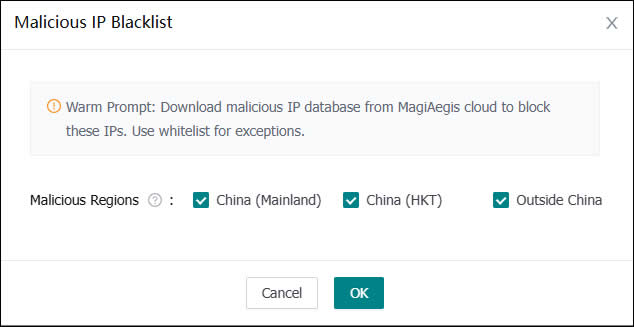
(Malicious IP Protection)
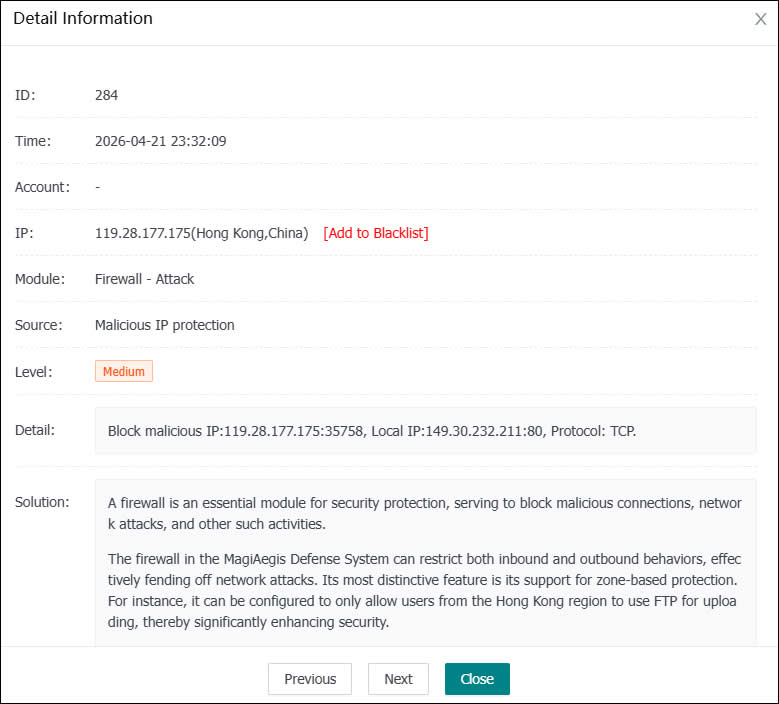
(Malicious IP Block Log)